Photography Usage Rights and Limitations
The use of all imagery is sub ject to stringent usage rights. Before using photographs in your marketing materials, you must understand the legal implications. Failure to follow with image- usage property rights can lead to significant financial losses and legal liability for Carestream.
Displaying patient and facility names in screenshots requires extreme discretion. Be sure to use fictitious names (Dr. Demo, Jane Sample). Facility names should be plainly fabricated.
CARESTREAM PHOTOGRAPHY HAS STYLE.
Carestream uses four types of imagery : humanistic, product in-use, hardware, and software photography. Each image type serves a specific purpose in our messages.
"Each image should be original and contemporary, telling a straightforward, dynamic visual tale. We depict our target clients and products in a clean, fresh manner, resulting in a distinct style that reflects the Carestream brand persona."
Humanistic Photography
Our focus on meeting the real, everyday needs of customers is reinforced with photos that portray the human side of healthcare.
Radiologists, technicians, healthcare executives and IT staff are shown in their work environments. They are NEVER photographed looking into the lens, as this denotes the image as posed or staged.
Rather, subjects are photographed as if unaware of the camera – with a natural, spontaneous look and feel. Their demeanor is one of thoughtfulness and confidence.
Humanistic Photography Do’s
Humanistic Photography Don’ts

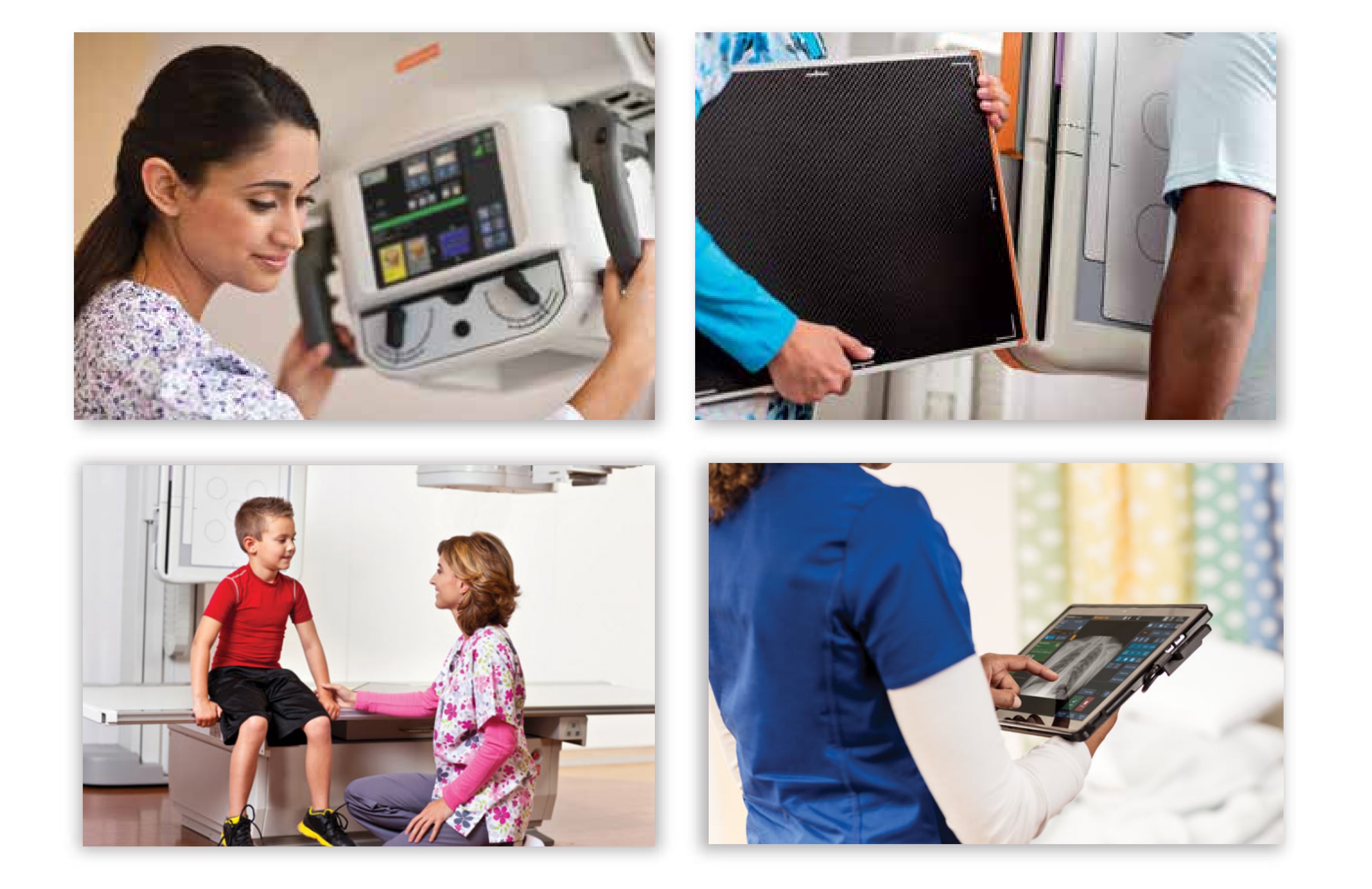
Product-In-Use Photography
This is a blend of humanistic and product photography – with the visual emphasis on the Carestream product. This style of photography allows our customers to see our product “in action,” in a working scenario. It shows the interaction our customers would experience using our products.
This style of imagery sets us apart from the competition, as each image highlights a specic Carestream product, making it unique and exclusively identifiable with Carestream.
Product In-Use Photography Do’s
Product In-Use Photography Don’ts
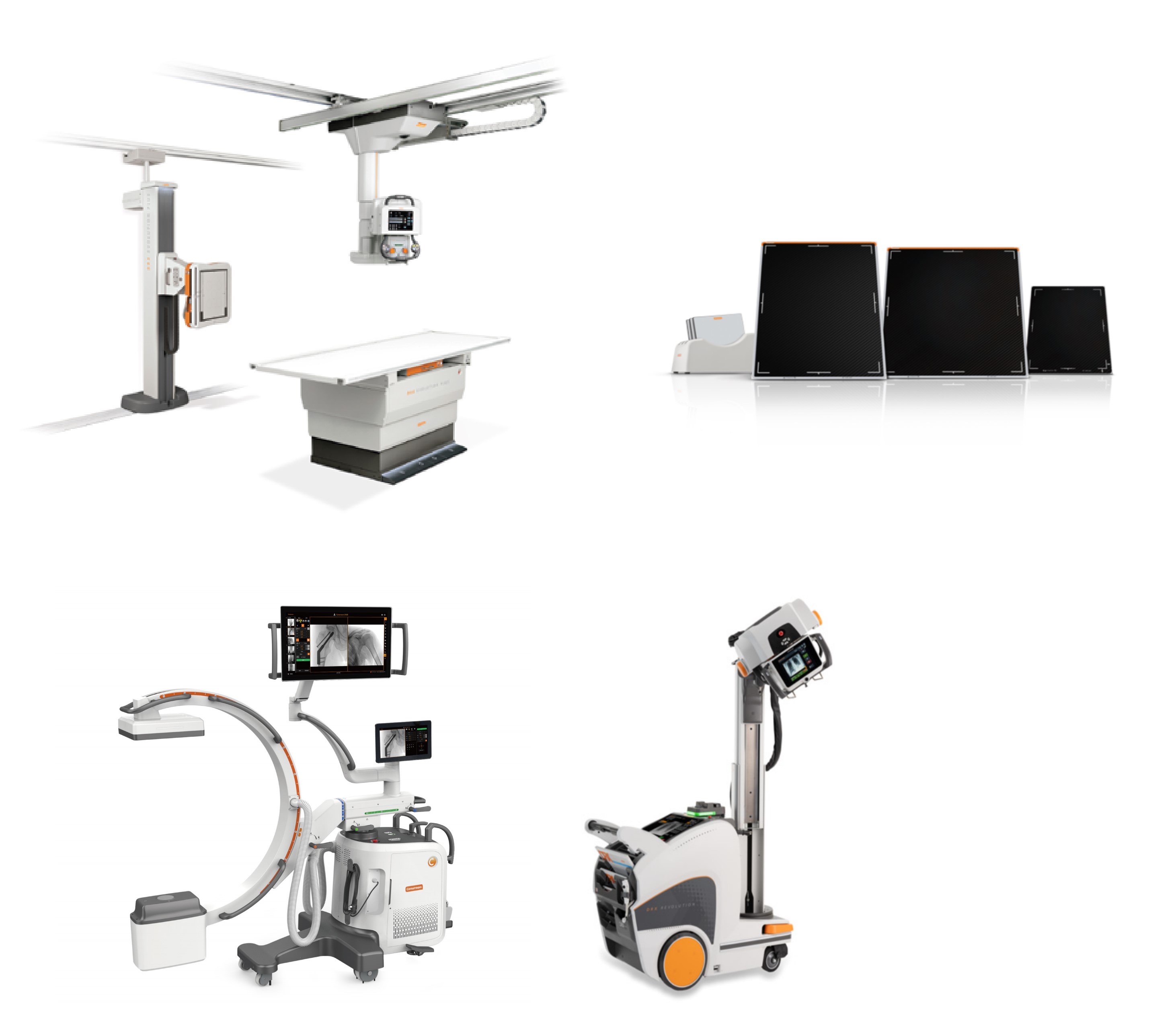
Hardware Photography
Product photographs should accurately represent what clients might expect to receive. Products should be presented elegantly and simply, emphasising the most appealing parts of the physical design. Lighting should be directed but gentle, avoiding strong highlights or shadows.
In marketing materials including brochures and sell sheets, hardware should be shown without cropping to allow viewers to fully experience the product. Detailed photographs may be necessary to showcase specific aspects. However, do not crop a product too tightly, as this would disguise its uniqueness.
Hardware photography is taken on a white background, with post-production effects such as soft shadows or reflections. Color-balance all photographs to ensure that the product colours are accurately represented.
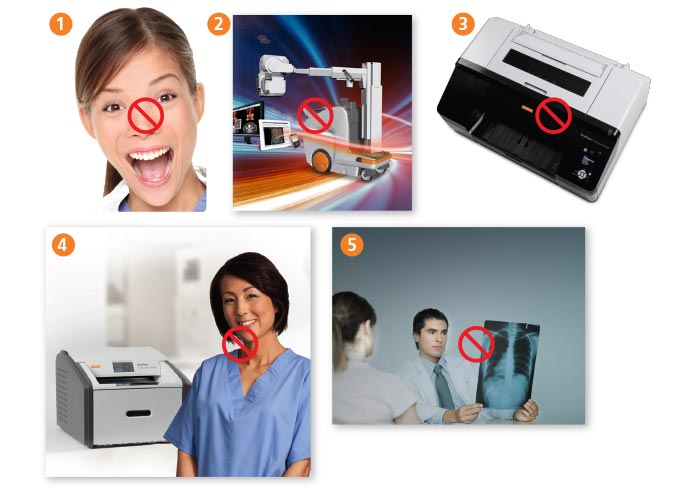
Incorrect Photography Usage
The images on this page are dated, poorly composed, badly lit or otherwise fail to support the brand attributes or brand positioning of Carestream.
 Models should NOT have direct eye contact with the camera and should be age-appropriate for the role they are portraying. Models should exude confidence, leadership and friendliness with approachable facial expressions.
 All hardware photography is shot on a white background and either a soft shadow or reflection is added post-production. No harsh, garish, busy or color-saturated backgrounds should be used.
 Product Photography should be presented in an elegant, simple manner and in a way that highlights the most appealing aspects of the product’s physical design. Lighting should be directional but soft – without creating harsh highlights or shadows.
 Models should NOT have direct eye contact with camera. Photos should use dynamic angles and be shot in appropriate environments that support the product.
 Healthcare professionals should be shown in their natural work environments, exuding confidence and success. All images are tightly cropped to create intrigue. Lighting should be open and clean.